Official WordPress plugin
Kargobaz for WooCommerce connects your store to Kargobaz in one click: Processing orders are imported automatically, you see carrier rates on the order screen and the tracking number is written back to the order when you create the label.
Free to install · No monthly fee · Pay per shipmentApprove Kargobaz on the standard WooCommerce authorization screen. No API keys to copy.
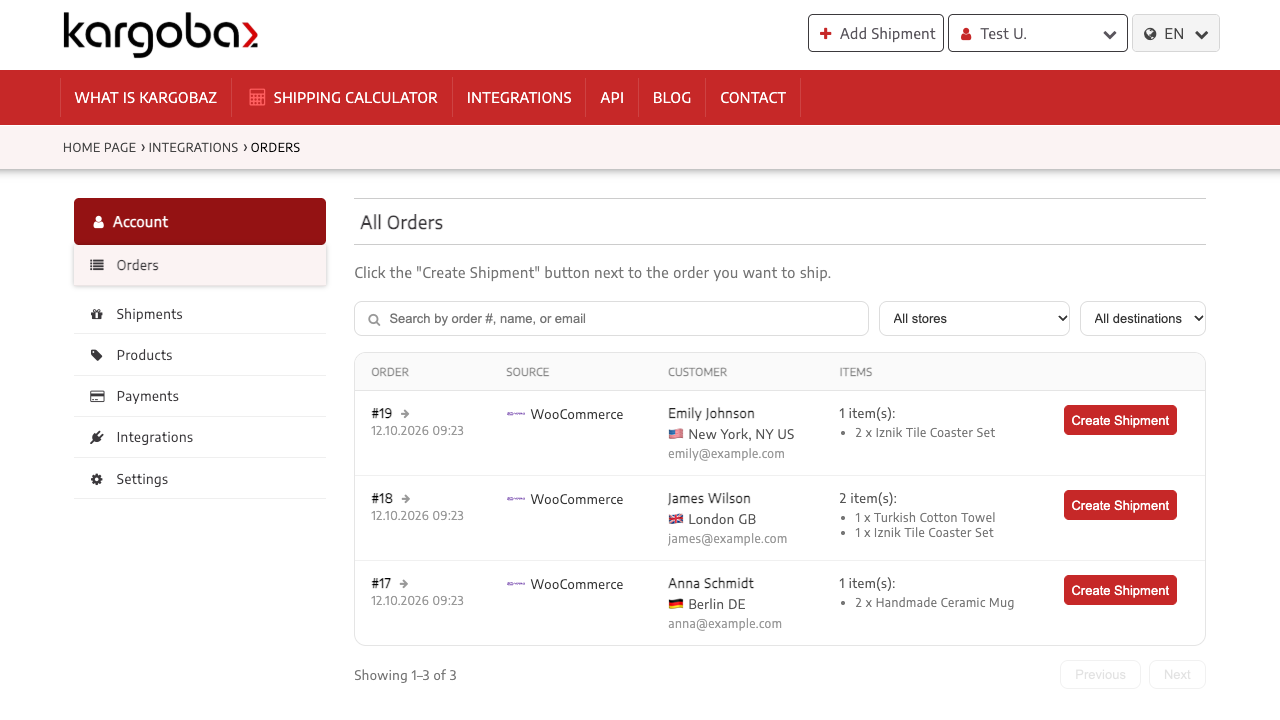
Orders with the Processing status appear in your Kargobaz order list with the address, products and prices.
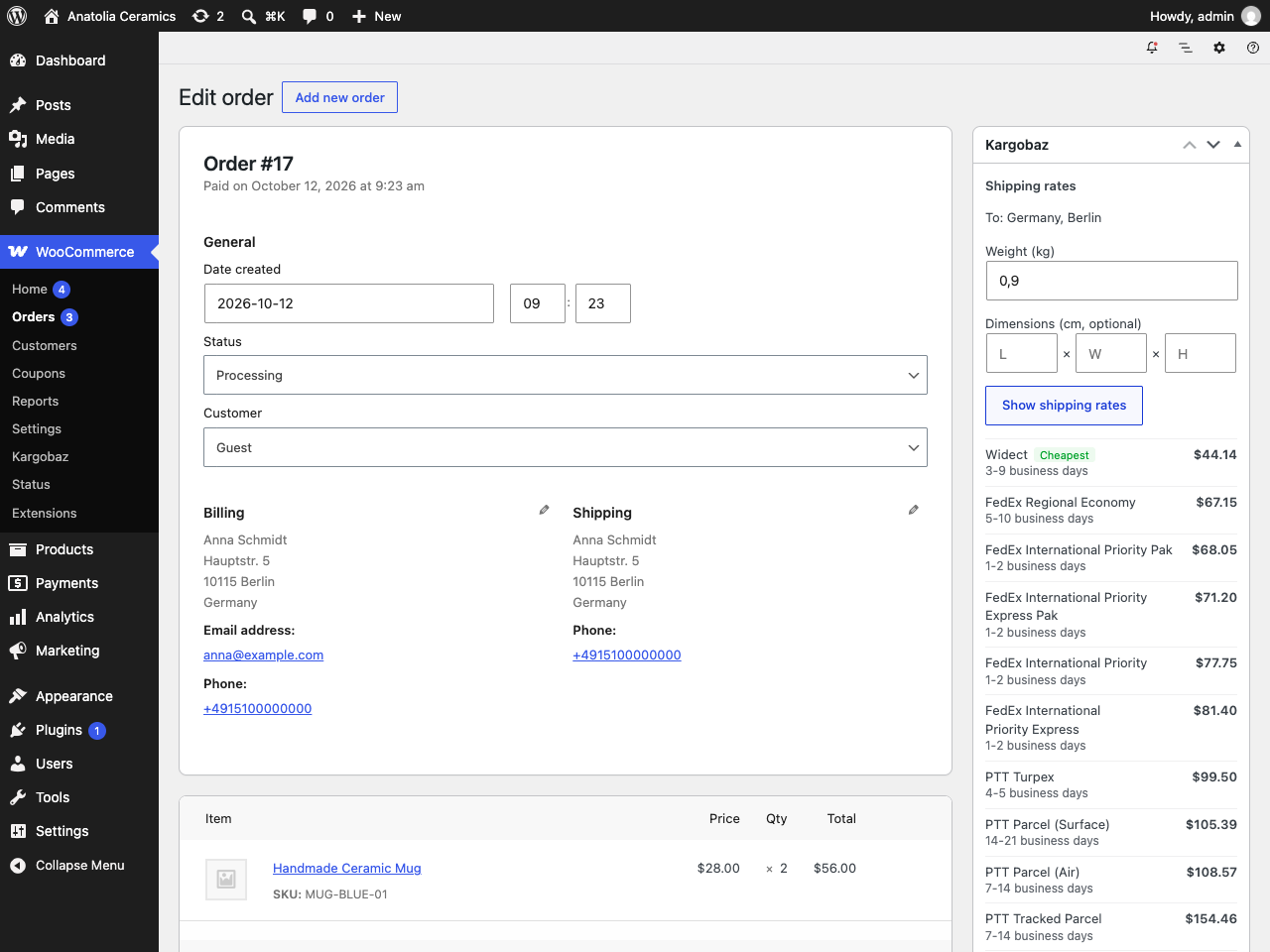
See the price and delivery time of each carrier for an order without leaving WordPress. Weight and dimensions come from your products.
Compare FedEx, Widect, PTT, Aramex and more, and create the label and commercial invoice on Kargobaz.
When the label is created the order is marked completed and the tracking number is added as a customer note, so WooCommerce notifies your customer.
No background requests and nothing on your storefront. Disconnecting or deleting the plugin removes Kargobaz's API keys.
Install the Kargobaz for WooCommerce plugin in WordPress (Plugins > Add New > search "Kargobaz").
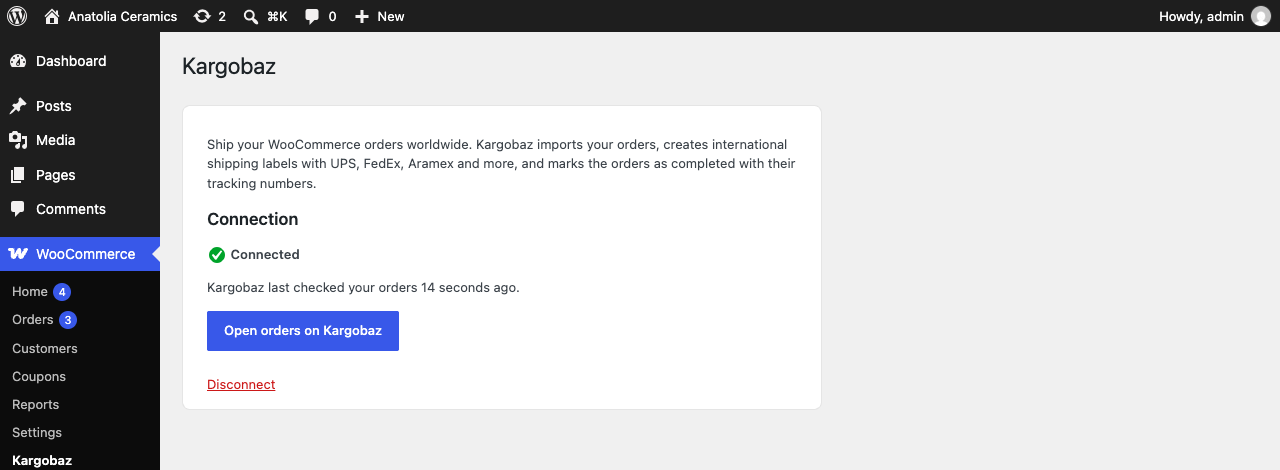
Go to WooCommerce > Kargobaz, click Connect to Kargobaz and sign in or create a free account.
Approve the connection. Your Processing orders appear on Kargobaz, ready for labels.
Yes. The plugin and the Kargobaz account are free; you only pay for the shipping labels you create, with no monthly fee.
Orders with the WooCommerce Processing status, i.e. paid orders that have not been shipped yet.
No. The plugin does nothing on the storefront and makes no background requests. It only contacts Kargobaz when you ask for shipping rates on an order.
Yes. WooCommerce only allows REST API connections over HTTPS, and pretty permalinks must be enabled. The plugin tells you if something is missing.
Yes, it works with both HPOS and the legacy order storage.
Other platforms: Store integrations
Start shipping your orders worldwide
Install the plugin, connect your store and create your first label in minutes.